

Flow Diagrams
The main flow diagrams can be found here for implementation guidance.
Parcel Booking Flow
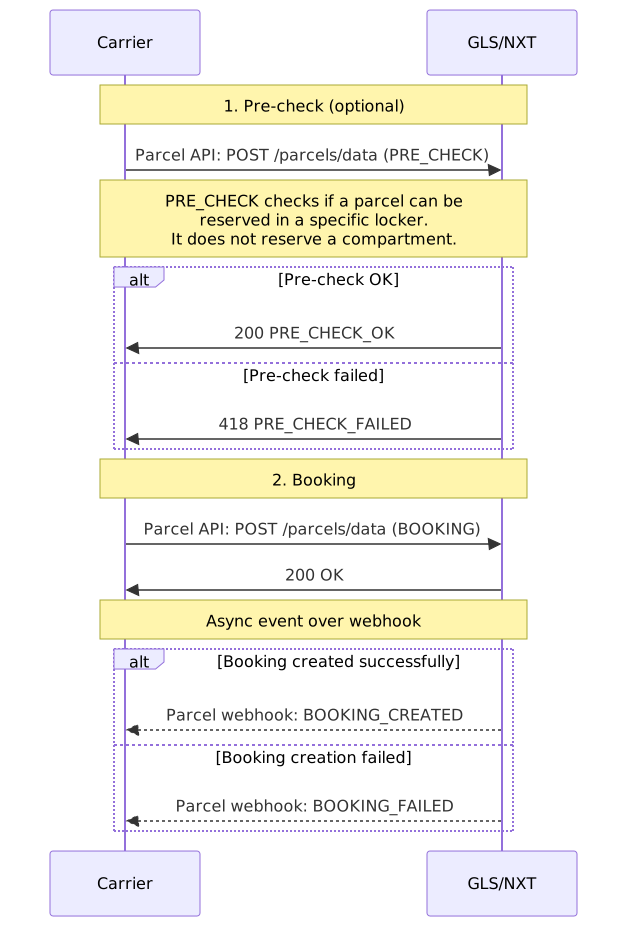
1. Pre-check (optional). The PRE_CHECK step checks if a parcel can be reserved in a specific locker. It does not reserve a compartment.
Example usage: the parcel is created, but delivery is still a few days away. PRE_CHECK shows if the parcel must be redirected. It checks the maximum size and the parcel details, for example the locker ID.
2. Booking. API reference: Publish parcel data.
Code
The result arrives asynchronously over the parcel webhook. API reference: Webhook for parcel updates.
Code
Parcel Cancel Flow
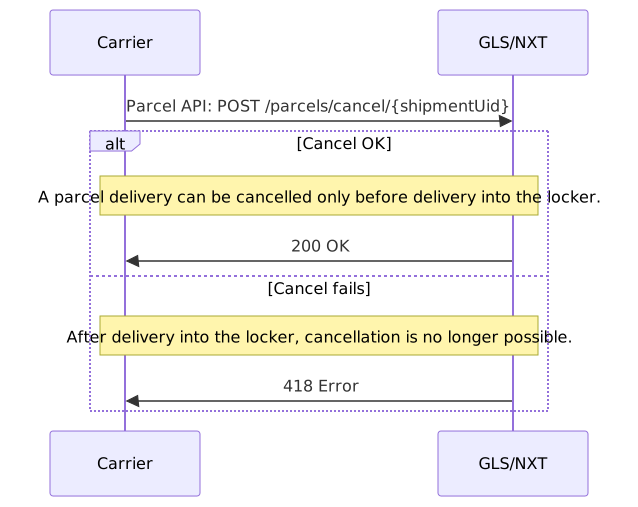
A parcel delivery can be cancelled only before the parcel is delivered into the locker. API reference: Cancel parcel.
Courier Collection/Delivery Flow
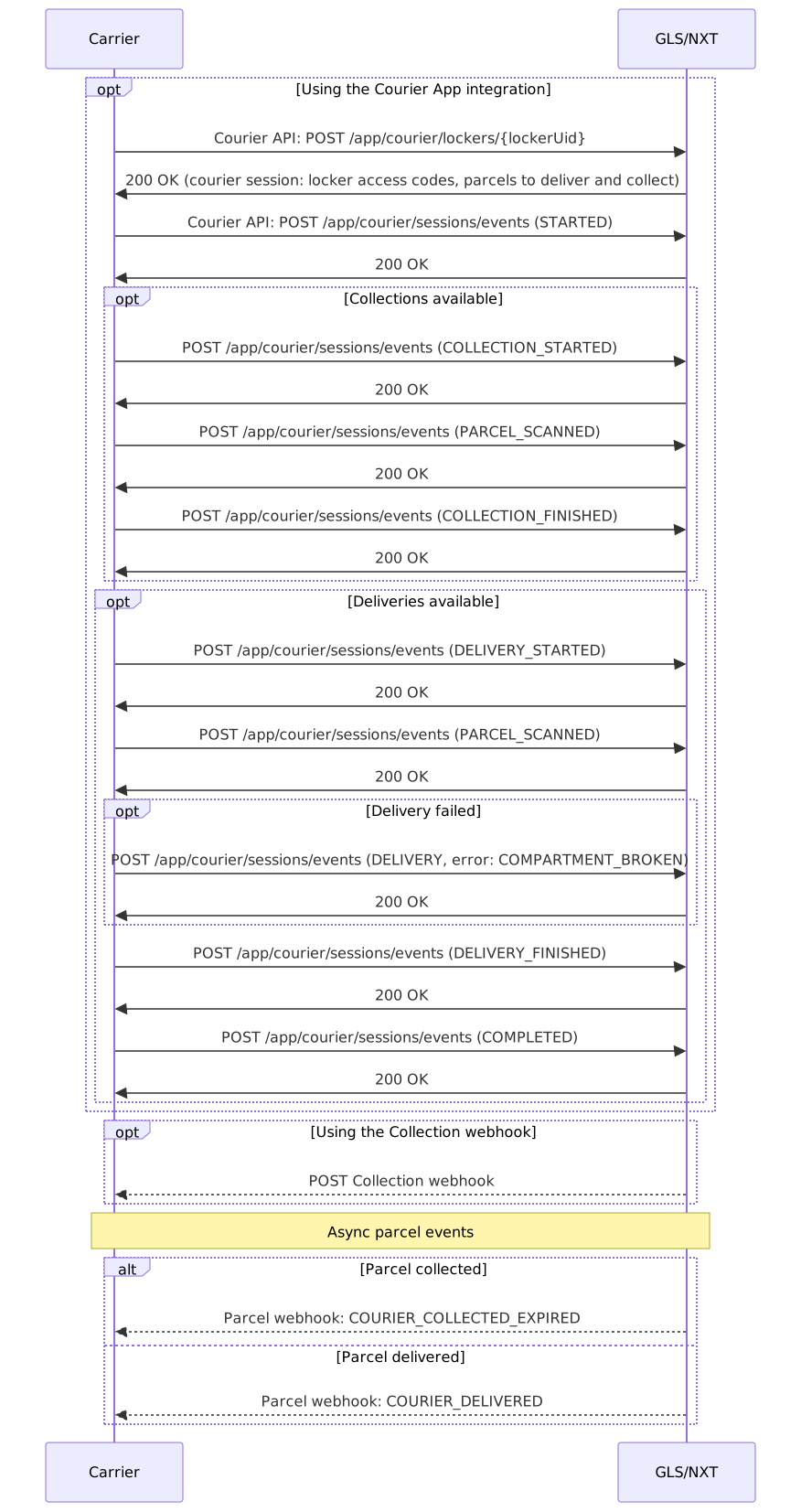
This flow is the same for all locker types, and for both collection and delivery. For delivery into lockers with a screen and a barcode reader, the courier does not need a Courier Delivery Access Code: the courier scans the parcel, and the compartment booked for the parcel opens.
The response to POST /app/courier/lockers/{lockerUid} contains the courier session data, for example the locker access codes and the parcels to deliver and collect.
The Collection webhook body:
Code